

-
Table of Contents
Xbox: How to Change Gamertag for Free
Changing your Xbox gamertag can be a fun way to personalize your gaming identity and stand out among other players. However, many gamers are unaware that they can change their gamertag for free. In this article, we will explore the steps to change your Xbox gamertag without spending any money.
Step 1: Sign in to Your Xbox Account
The first step to changing your gamertag for free is to sign in to your Xbox account. You can do this by opening the Xbox app on your console or visiting the Xbox website on your computer. Make sure you are logged in with the account that you want to change the gamertag for.
Step 2: Access Your Profile Settings
Once you are signed in to your Xbox account, navigate to your profile settings. This can usually be found by clicking on your profile picture or username in the top right corner of the screen. Look for an option that says “Customize profile” or “Edit profile” to access your gamertag settings.
Step 3: Choose a New Gamertag
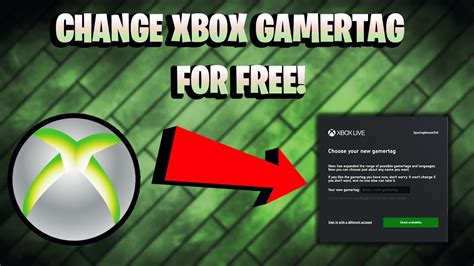
Now that you are in your profile settings, you will see an option to change your gamertag. Xbox provides users with one free gamertag change, so take this opportunity to choose a new and unique gamertag that reflects your personality or gaming style. Make sure to check the availability of the gamertag before finalizing your choice.
Step 4: Confirm Your Gamertag Change
After selecting a new gamertag, you will be prompted to confirm your decision. Double-check the spelling and formatting of your new gamertag to ensure it is exactly how you want it. Once you are satisfied with your choice, confirm the gamertag change to update your profile with the new identity.
Step 5: Enjoy Your New Gamertag
Congratulations! You have successfully changed your Xbox gamertag for free. Now you can show off your new identity to your friends and fellow gamers. Remember that you can always change your gamertag again in the future, but additional changes may come with a fee.
Benefits of Changing Your Gamertag
- Personalize your gaming identity
- Stand out among other players
- Reflect your personality or interests
- Keep your gamertag fresh and up-to-date
Conclusion
Changing your Xbox gamertag for free is a simple and easy process that can enhance your gaming experience. By following the steps outlined in this article, you can update your gamertag to better reflect your personality and style. Remember to take advantage of your one free gamertag change and enjoy your new identity in the gaming world.

